
YES. We want to help manage your Yelp with the same hands-on experience you receive for Facebook and Google My Business, so we are asking you to add us as a user to your claimed Yelp listing. Yelp is also connected to Yahoo, MapQuest, Amazon Alexa, Bing, and Apple Maps, which are vital components for online presence. By adding us as a user on your Yelp account, we will receive notifications for reviews, suggestions, and will be able to manage your information and pictures instead of just suggesting the changes. We are here to make sure you are receiving the best reputation management experience!
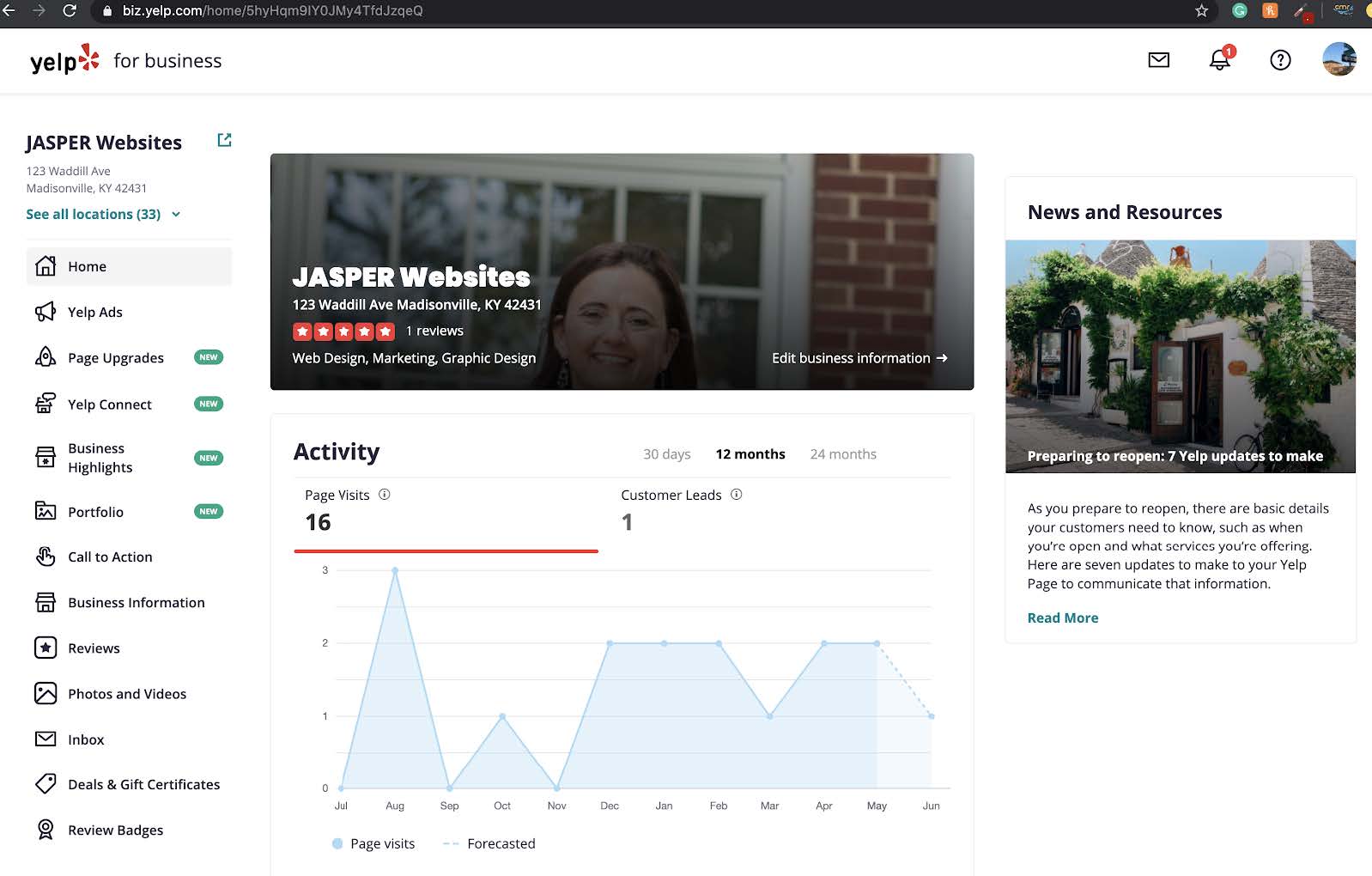
1. First, go to your Yelp account and select Accounting Settings.
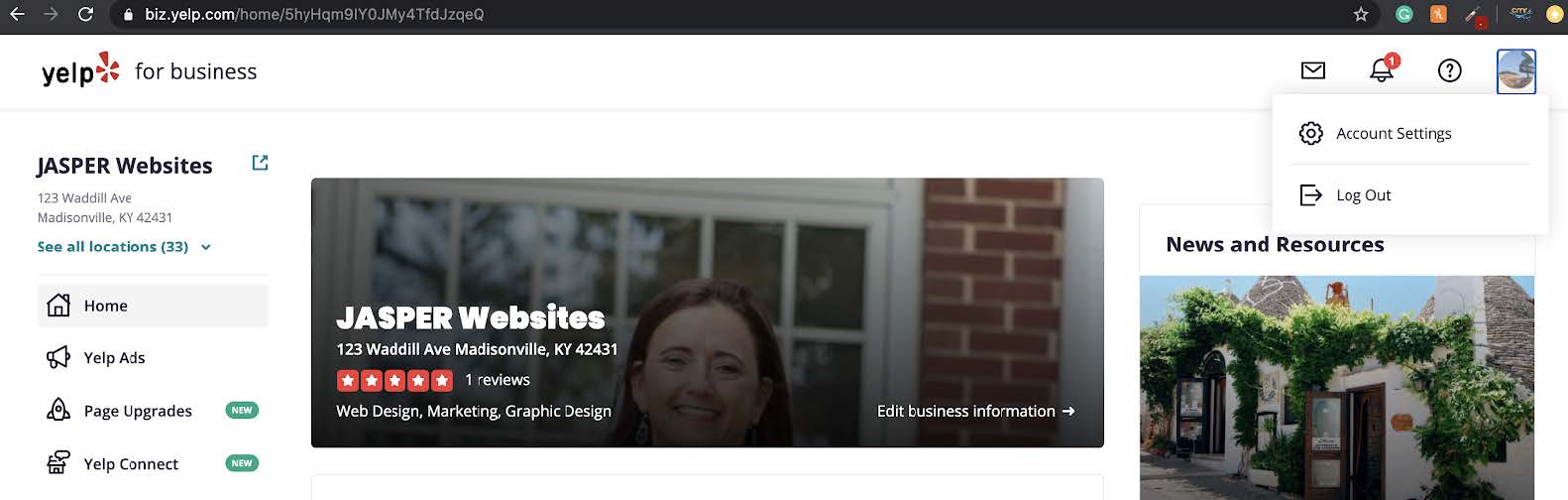
You will go to the screen shown below.
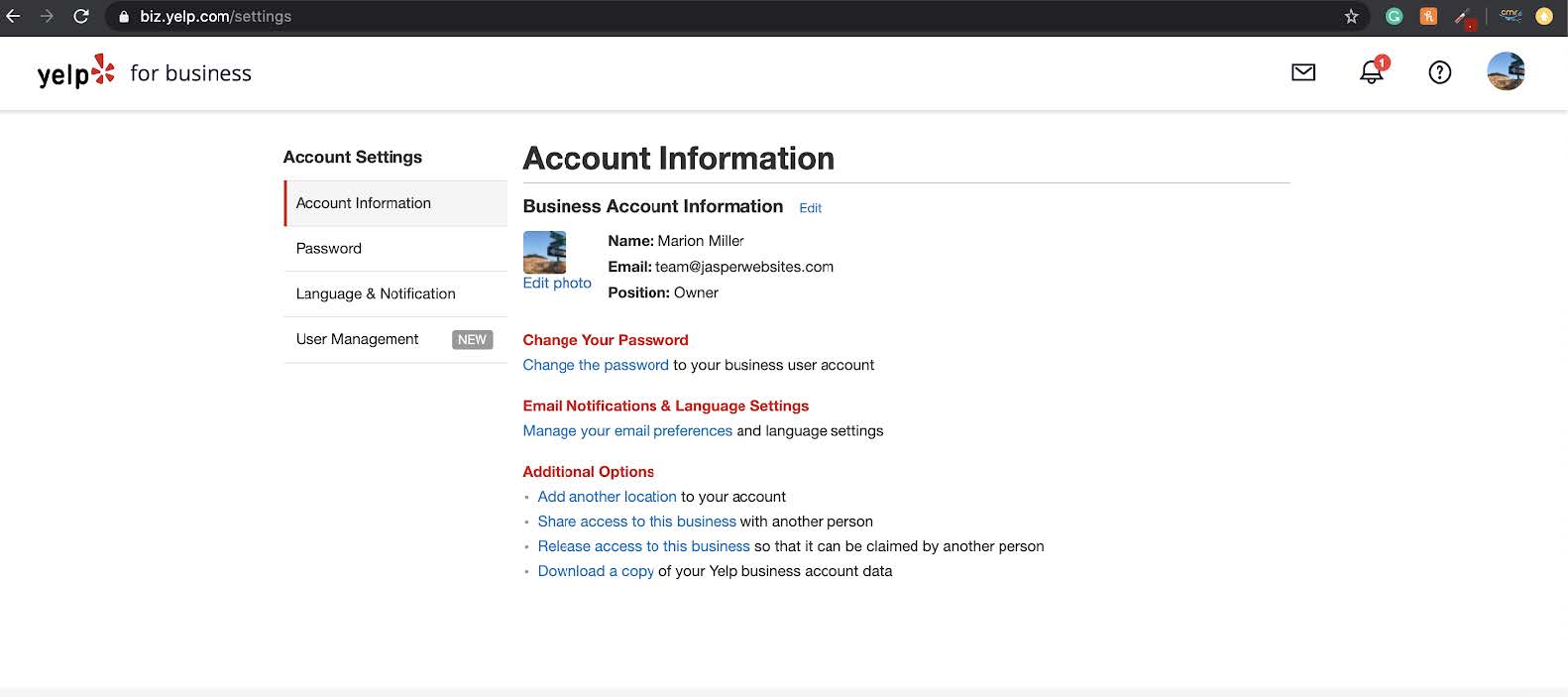
2. Second, go to User Management. Select Invite a User.
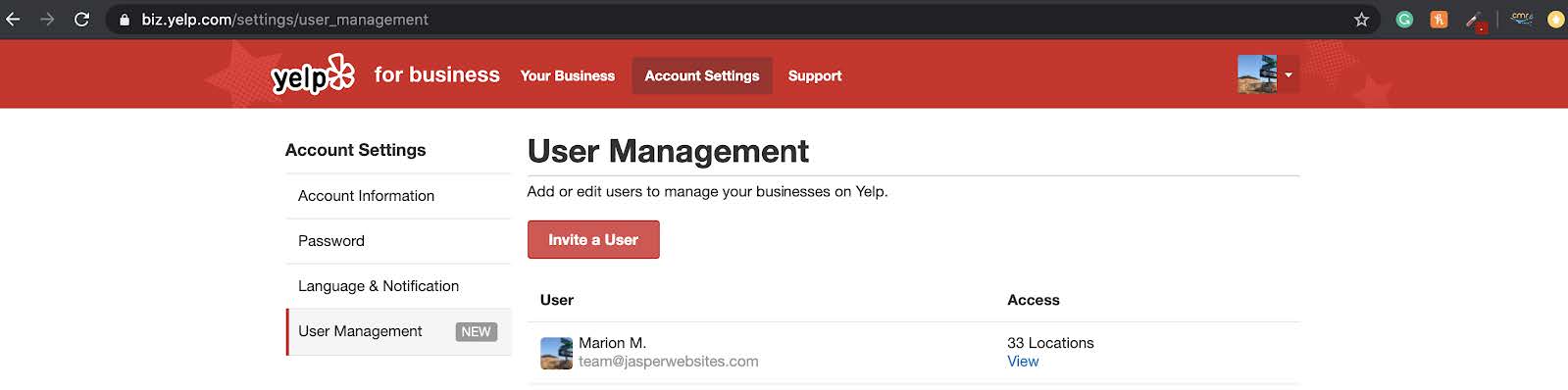
Add Jasper Websites by CMR Inc. email here; This email address is being protected from spambots. You need JavaScript enabled to view it.. This will allow us to receive notifications of suggestions made to your Yelp profile and manage your account fully.



 Our program qualifies for 50% coop reimbursement. JASPER Engines pays us directly!